Contact us

Qoretix by IXC

Qoretix · IXC’s flagship platform

From release verification
to reliable, secure operations.

Qoretix is IXC’s software platform connecting QA automation, security checks and operational monitoring in one project workflow.

See what has been checked and what remains, then follow fixes through to the next verification. Use the platform with your own team or involve IXC specialists in the QA work you need.

Explore the platform

AI-assisted QA automation · Security checks · Operational monitoring

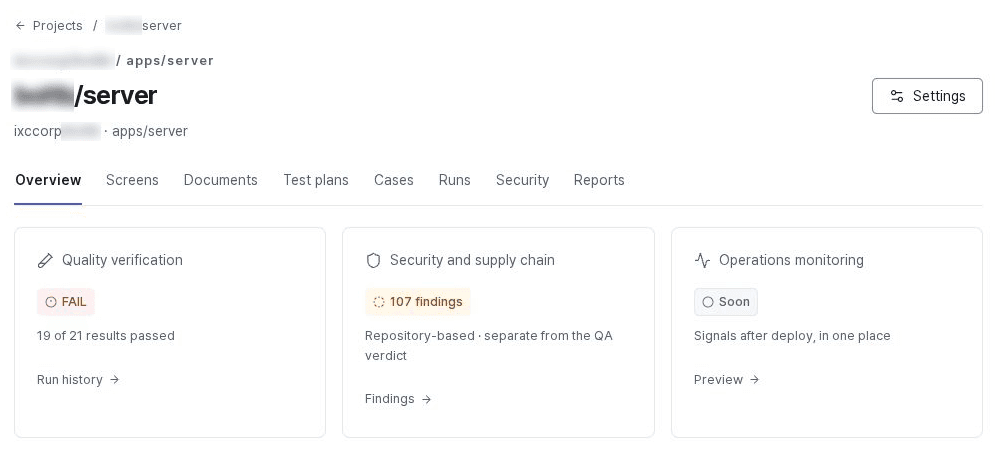
Qoretix project overview: quality verdict FAIL with 19 of 21 results passed; 107 repository security and supply chain findings shown separately from QA; operational monitoring marked Soon and Preview.
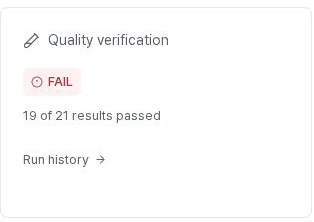
Project quality card: FAIL, 19 of 21 results passed.
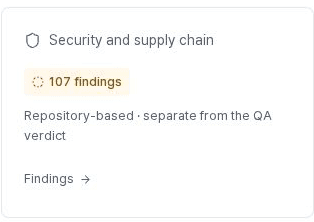
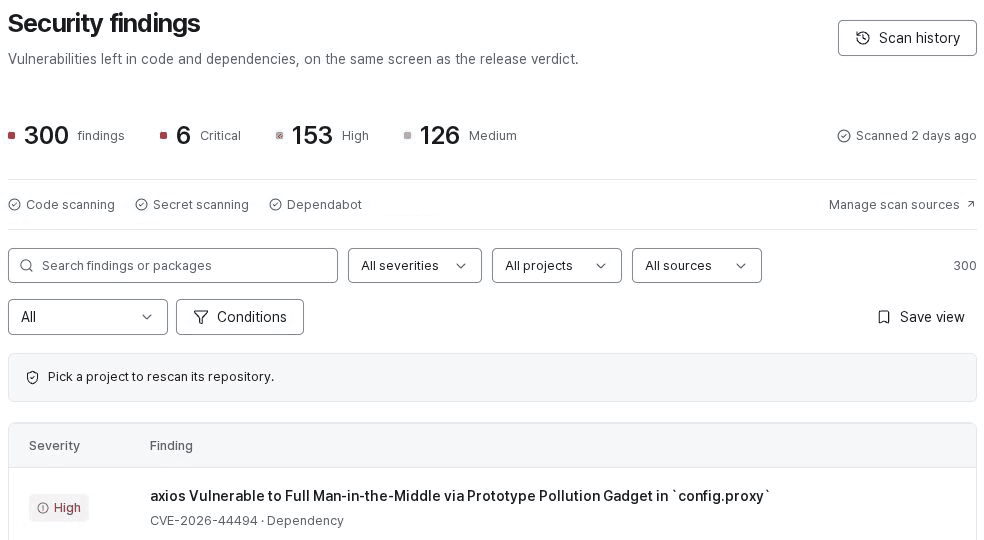
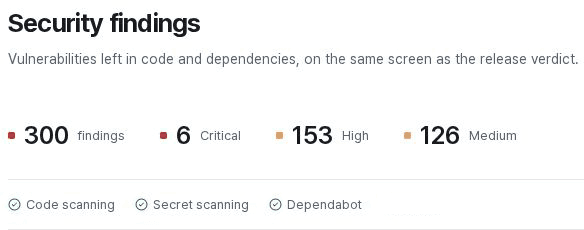
Project security and supply chain card: 107 repository findings, separate from the QA verdict.
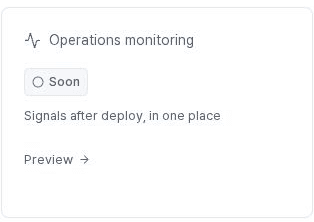
Project operational monitoring card with a Soon label and Preview link.
Review project verification results and remaining issues together.

Review project verification results and remaining issues together.

Qoretix project overview: quality verdict FAIL with 19 of 21 results passed; 107 repository security and supply chain findings shown separately from QA; operational monitoring marked Soon and Preview.
One product.
A way of working that fits your team.

Repeat runs and keep records in the platform.
Teams and specialists review plans and interpret results together.

Visit the Qoretix product site
Evidence beyond the numbers

Running tests is one thing.
Knowing what is verified is another.

Tests not run, screens not opened, security checks not enabled. Qoretix separates passed checks from areas still needing attention, and keeps failure reasons alongside revalidation records.

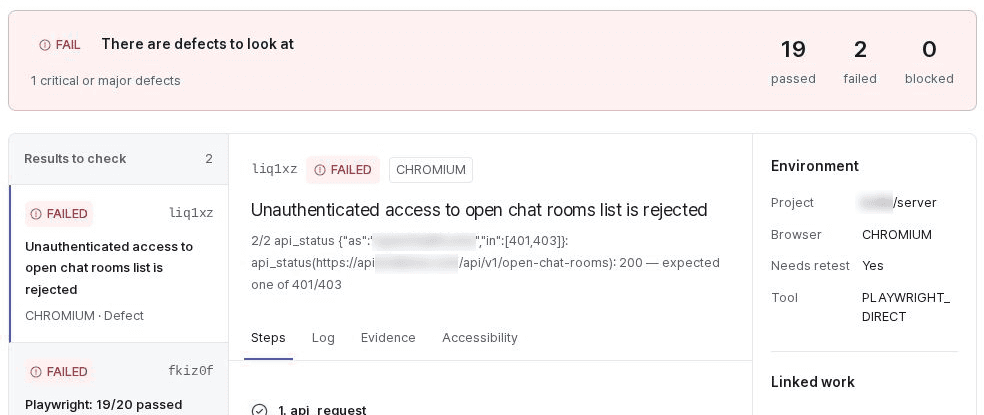
Qoretix run details: FAIL verdict, 19 passed, 2 failed and 0 blocked; two failures to review, with step, log and evidence tabs and the CHROMIUM environment.
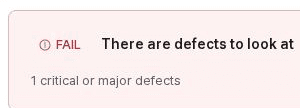
Run FAIL banner with defects to review, including one critical or major defect.
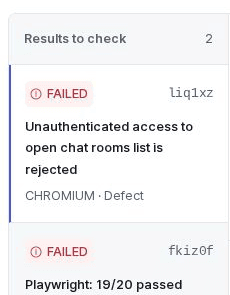
Run results to review: two FAILED items.
Run results and failure evidence

Run results and failure evidence

Qoretix run details: FAIL verdict, 19 passed, 2 failed and 0 blocked; two failures to review, with step, log and evidence tabs and the CHROMIUM environment.

Results and evidence in one view

Review the run’s verdict and reasoning, failed items, coverage and security findings together. Developers, QA staff and project owners can decide next steps from the same record.

Run reports · Failure evidence · Unverified areas · Revalidation records

What results can you review?

Go straight to the failure

Use screenshots, replay videos and logs to see where the outcome differed from expectations.

Make unverified areas visible

Keep unexecuted items and unavailable security checks separate from passing results.

What is Qoretix?

Connect quality, security
and operations.

Check functionality and security risks before release, then feed operational findings into the next verification. Qoretix connects that process through projects and run records.

From deciding what to test
to understanding failures.

Prepare test plans and cases from requirements, screens and repository code. Run approved cases against APIs and real browsers, retaining failed steps and supporting evidence.

Your team reviews AI-generated drafts. Maintain cases around changed functionality and important user journeys, then verify the fixes.

What to check
Test plans · Case generation · API checks · Browser runs
Outputs
Run reports · Screenshots, videos and logs · Unverified items
Explore QA capabilities
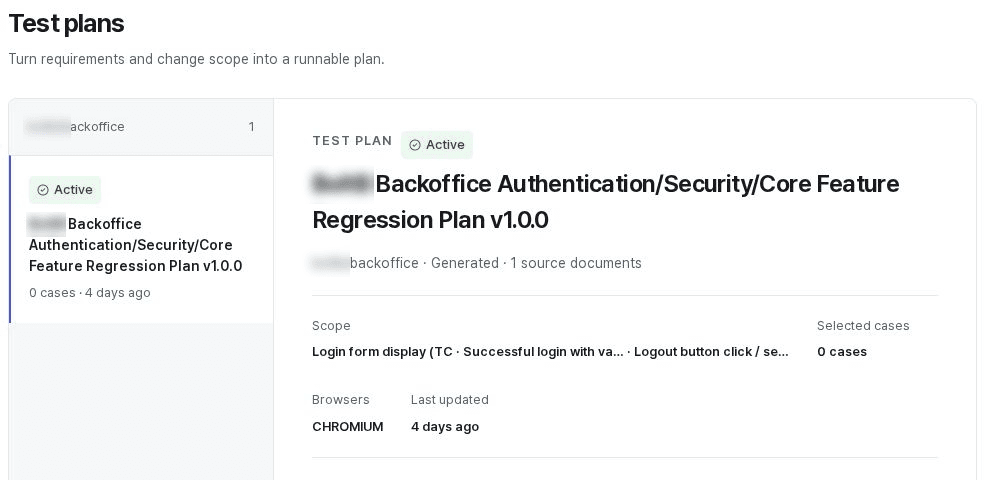
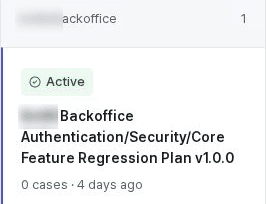
Qoretix test plan: scope of an Active regression plan, zero selected cases, CHROMIUM browser and one source document.
Test plan list item: Active, zero cases, created four days earlier.
Test plan

Test plan

Qoretix test plan: scope of an Active regression plan, zero selected cases, CHROMIUM browser and one source document.

Where should your team start?

Define the first project’s preparation and scope around your priority: repeat release verification, security checks or operational errors.

Your current priority
How you’ll use it

Start with the journeys that matter in this change.

Identify changed features and key user journeys, and review requirements and existing cases. Check results and coverage gaps, then verify the fixes.

What to prepare
Features to verify · Test environment · Existing requirements and cases
Initial outputs
Test plan · Run report · Revalidation records

Use it with your teamYour team reviews plans and cases, and manages results and follow-up actions.

Verification that continues beyond a single check

Connect, review
and improve the next release.

One passing result does not describe an entire project. Define what to check, review the findings and connect the record through verification of the fixes.

01

Connect the environment and criteria

Review repositories, test targets and requirements, then define verification scope and roles.

Project · Requirements · Permissions
02

Run tests and checks

Run approved cases and gather items to review alongside connected security findings.

API and UI · Security information · Run records
03

Review issues and evidence

Examine failure reasons, remaining risks and unverified items. Include operational findings in the next review.

Failure evidence · Unverified areas · Operational issues
04

Verify the fixes

Recheck relevant items after developers make changes. Use results and change history in subsequent runs and acceptance reviews.

Fix · Revalidate · Share

Security checks span pre- and post-release work. Operational data connections depend on the agreed scope.

Connect the tools you use
to Qoretix project workflows.

Qoretix connects its verification capabilities with specialist tools. We start by reviewing how to connect your development environment and required data, without requiring wholesale tool replacement.

GitHub

Connect repositories and changes to test preparation and execution

Jira

Connect findings and run evidence to issue management

Security tools

Use security findings in project reviews and remediation

Observability toolsPreview

Use operational errors and deployment context in subsequent verification

Supported features and account or license requirements are reviewed for each integration during adoption planning.

Platform + specialist support

Run it with your team,
or share the work with IXC.

The platform stays the same; responsibilities vary. Define your Qoretix configuration and IXC support around your team’s capabilities and release schedule.

01 · Qoretix

Use it with your team

Developers and QA staff configure projects and review plans and cases. Your team reviews results and security findings, and runs revalidation and release reviews within its own workflow.

Best suited toTeams with developers or QA staff who want to manage their own criteria

Discuss platform configuration

View product details
02 · IXC

Setup and integration support

Define the target project and environment together, then configure repository, issue-management and security-tool connections and the first test plan.

Best suited toTeams that will operate the product but need help with setup and scope

Agree on the setup scope

03 · IXC

Managed QA

IXC specialists carry out agreed work such as plan reviews, exploratory QA, result classification, test maintenance and revalidation. Deliverables remain in project records shared with your team.

Best suited toTeams without dedicated QA staff or needing focused pre-release verification

Contract based on the agreed scope

Work you can delegate to specialists

Delegate only the work you need. Deliverables and responsibilities are agreed for each project.

01

Adoption setup

Configure projects, permissions, execution rules and review workflows for your team.

02

Test plan and case review

Compare requirements and cases to identify omissions and unnecessary assumptions.

03

Exploratory QA and UX review

Examine paths automation has not checked and friction in actual use.

04

Result triage and issue organization

Distinguish defects, environment issues and flaky tests, and record evidence for follow-up work.

05

Test maintenance and revalidation

Maintain cases as screens and APIs change, and recheck fixes.

06

Release notes

Document verified work, remaining risks and recommendations for release review.

Platform use and support are scoped separately.Quotes reflect the project environment, connected tools, verification frequency and specialist work. We also clarify external account or license requirements and which tasks are included.

After the consultation

Choose the first project.
Start with the scope you need.

  1. 01
    Review your environment and goals

    Review the service, testing approach, development, security and operational tools, and the first problem to solve.

  2. 02
    Define scope and responsibilities

    Agree on available features, integration scope, team and IXC responsibilities, costs and next steps.

  3. 03
    Validate in a real project

    Review results and the user experience within the agreed scope, then expand verification and integrations as needed.

Frequently asked questions

Before you get started.

  • Qoretix is IXC’s software platform connecting QA automation, security checks and operational monitoring in one project workflow. It manages test plans, run results, findings and revalidation records together, with IXC specialist support available for the QA work you need.

  • Yes. Your internal team can manage plans, cases and results directly. You can also share selected work with IXC, such as initial setup, exploratory QA before release or result analysis.

  • Clear documentation helps define verification scope, but you can also start with existing cases, screens and code. Where documentation is incomplete, first agree on the assessment criteria and keep unverified areas visible in the results.

  • You do not need to replace all your development tools. Connect GitHub repositories and changes to testing workflows, and link findings and run evidence to Jira issues. The supported connections depend on actual permissions and project settings.

  • You can review security information about code, secrets, dependencies and the supply chain. Connected tools and checks are confirmed for your configuration. Operational error collection, reproduction test suggestions and links between pre- and post-deployment records are in preview.

  • The platform provides verdicts and evidence against defined criteria. Your team and specialists review unverified items and remaining risks, while your responsible owner makes the final release decision. Specialist reviews and recommendations can also be kept in the project record.

  • Before adoption, we review repository access, test accounts, execution evidence and integration data scope. Processing, retention and deletion terms depend on the actual configuration and contract. Do not send source code, passwords or API keys with your initial inquiry.

  • We scope pricing around platform configuration, connected tools, verification frequency and specialist work. We distinguish platform use, initial setup and ongoing QA support, and review external service terms and any additional work together.

Qoretix by IXC

Stronger evidence for
your next release and operations.

Start with repeat testing, or connect security checks and operations.Let’s define your first project and the support your team needs.

Qoretix by IXC

Discuss Qoretix for your team

Tell us about your environment and the problem you want to solve. We’ll start with suitable capabilities, integrations and support.